
 EN
EN
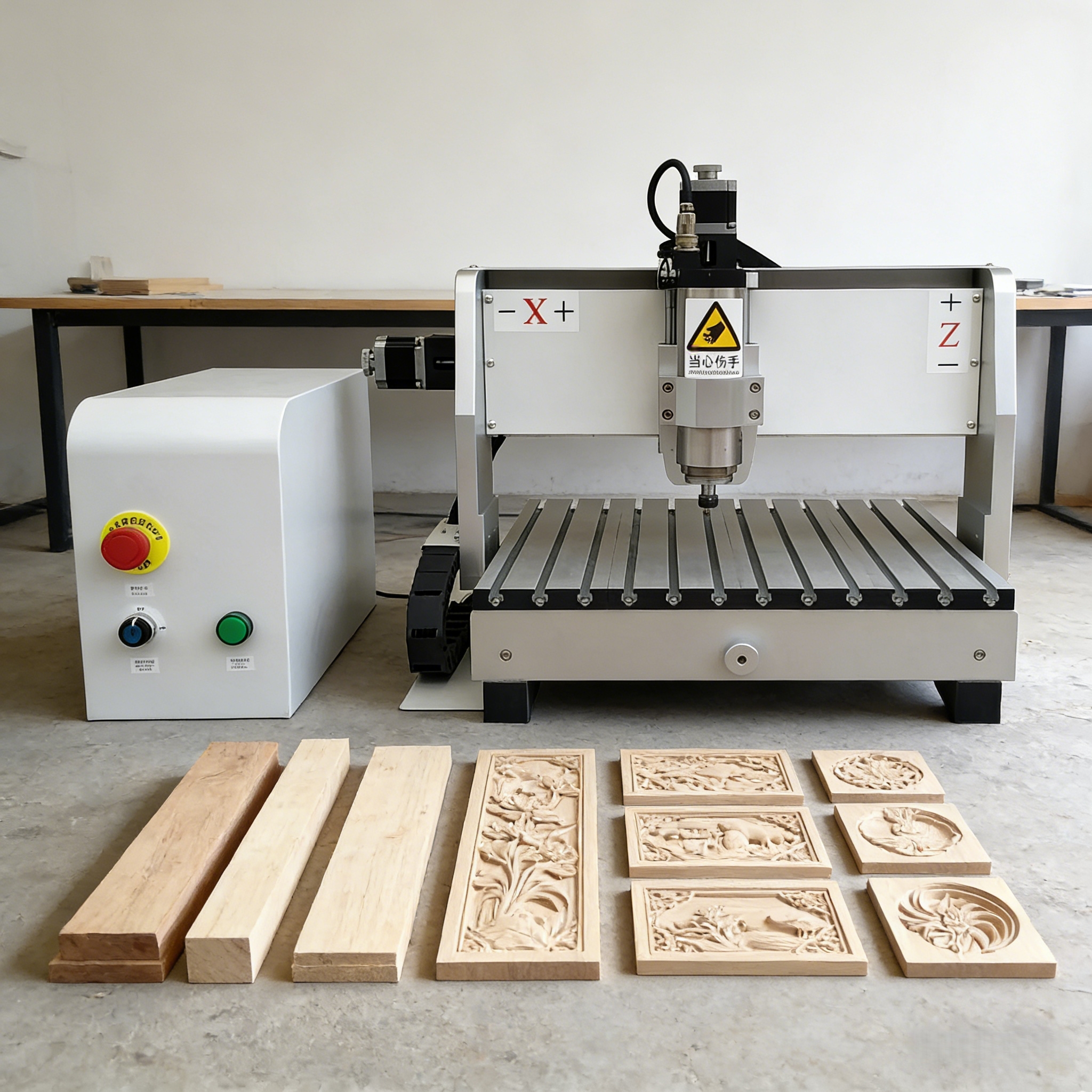
Walk into almost any modern woodworking shop, sign-making studio, or furniture manufacturing facility and you're likely to find a CNC router running at the center of the operation. These machines have become the backbone of precision cutting and carving across dozens of industries, yet many people outside manufacturing have only a vague sense of what they actually do or how they work. This article explains the technology clearly — from the basic operating principle through to the components, capabilities, and industries that rely on it most in 2026.
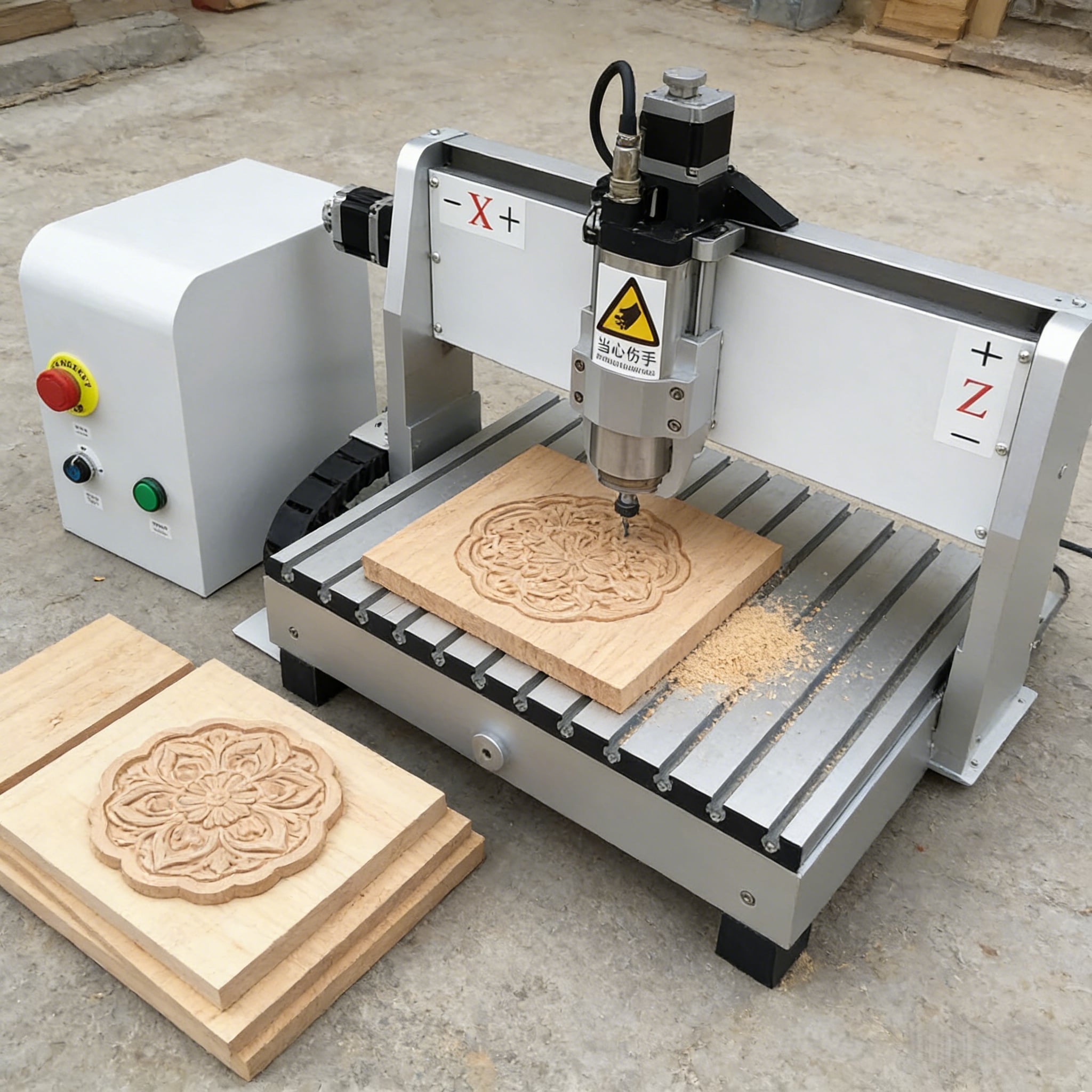
The Core Concept: What a CNC Router Actually Does
A CNC router is a computer-controlled cutting machine that uses a rotating cutting bit — called an end mill or router bit — to remove material from a workpiece by moving across it in precise, programmed paths. The abbreviation CNC stands for Computer Numerical Control, which describes the method by which the machine receives its instructions: a digital file, typically G-code generated by CAM software, tells the machine exactly where to move, how fast to travel, and how deep to cut at every point in the operation.
Unlike a laser or plasma cutter, which removes material through heat and energy, a CNC router removes material mechanically — the spinning bit physically carves, cuts, or profiles the workpiece as it moves. This makes it particularly well suited to materials that respond well to mechanical cutting: wood, MDF, plywood, acrylic, foam, soft metals like aluminum, and composite panels.
The result is a machine that can produce complex two-dimensional cut profiles, three-dimensional carved surfaces, engraved text and artwork, and precision joinery — all from the same platform, simply by changing the cutting bit and adjusting the toolpath program.
How the Machine Moves: The Motion System Explained
The motion system is what separates a CNC router from a handheld router or a conventional milling machine operated manually. A CNC router moves its cutting head — or in some configurations, its worktable — along three axes simultaneously under computer control.
The X axis runs along the length of the machine bed. The Y axis runs across the width. The Z axis controls the vertical height of the cutting head, which determines cutting depth. By coordinating movement across all three axes simultaneously, the machine can trace any path through three-dimensional space that the toolpath program defines. More advanced configurations add rotational axes — typically referred to as the A and B axes — enabling the machine to cut on angled surfaces or work with cylindrical workpieces such as table legs, columns, or relief sculptures.
The motion is driven by servo or stepper motors connected to either ball screw drives, rack and pinion systems, or linear drive mechanisms depending on the machine's size and precision requirements. The cutting head is carried on linear guide rails that ensure smooth, accurate movement without deflection under load. This mechanical rigidity is what allows the machine to maintain positional accuracy while the router spindle generates significant cutting forces.
Key Components and What Each One Does
Understanding a CNC router means understanding how its main components work together as a system rather than in isolation.
The spindle is the motor that drives the cutting bit at high rotational speeds, typically between 8,000 and 24,000 RPM depending on the material and bit type. Spindle power is rated in kilowatts and determines how aggressively the machine can cut through dense or thick materials without deflecting or stalling. The cutting bit itself is a consumable that comes in hundreds of profiles — straight flute bits for through-cuts, ball-nose bits for 3D surface carving, V-bits for engraving, and compression bits for clean top and bottom edges on sheet materials like MDF and plywood.
The controller is the machine's brain, interpreting G-code and translating it into coordinated motor commands in real time. Modern CNC routers ship with DSP or PC-based controllers that support offline job loading, multi-language interfaces, and in some cases automatic tool length measurement and workpiece probing. The worktable holds the material in position during cutting, using either vacuum clamping systems, T-slot fixtures, or spoilboard screws depending on the material type and job requirements.
CNC Router Capability by Material and Application
| Material | Typical Operations | Industries Served | Notes |
|---|---|---|---|
| MDF / Plywood | Sheet cutting, panel routing, engraving | Furniture, cabinetry, interior fit-out | Full-sheet processing on 1325/2040 formats |
| Solid Wood | 3D carving, joinery, profiling | Furniture, architectural woodwork | Requires sharp bits and controlled feed rate |
| Acrylic / Plastics | Profile cutting, edge finishing | Signage, display, retail fixtures | Single-flute bits recommended to prevent melting |
| Aluminum | Light milling, drilling, profile cutting | Engineering, aerospace components, enclosures | Requires coolant and slower feed rates |
| Foam / EPS | High-speed 3D shaping | Packaging, set design, architectural modeling | Very high feed rates achievable |
| Composite Panels | Sheet cutting, edge routing | Construction, cladding, interior panels | Carbide tooling required for abrasive materials |
| PVC / ABS Board | Profile cutting, engraving | Signage, advertising, display boards | Standard spiral bits, moderate speeds |
Where CNC Routers Are Used in 2026
The CNC router has established itself as an essential production tool across a wider range of industries than most people expect. In furniture and cabinetry manufacturing, it handles everything from panel cutting and dado routing to decorative carving and CNC-cut joinery. In the signage and advertising sector, it cuts dimensional lettering, display boards, and routed sign blanks from MDF, foam, and acrylic. In the construction and interior fit-out industry, it profiles cladding panels, cuts decorative screens, and produces architectural millwork components.
Beyond these core sectors, CNC routers serve the packaging industry for cutting foam inserts and custom packaging shapes, the theater and events industry for set construction and large-format props, and the engineering and prototyping sector for machining aluminum enclosures, jigs, and fixtures. The common thread across all of these applications is the need for precise, repeatable cuts on materials that respond well to mechanical tooling — and the ability to move between different job types quickly by changing the program rather than the machine setup.
FAQ
What is the difference between a CNC router and a laser cutter? A CNC router removes material mechanically using a rotating cutting bit, while a laser cutter removes material through concentrated light energy that melts, burns, or vaporizes the workpiece. Routers are better suited to thick wood, aluminum, and foam where mechanical cutting produces cleaner results, and they leave a physical kerf width determined by the bit diameter. Laser cutters excel at fine detail work on thinner materials and produce a very narrow kerf, but they are not suitable for machining metals like aluminum or for deep 3D carving operations.
How thick a material can a CNC router cut? This depends primarily on the Z-axis travel of the machine and the length of the cutting bit being used. Most production CNC routers can accommodate material up to 150–200mm thick for routing operations, though the practical limit for clean through-cuts depends on bit length and spindle power. Full-sheet cutting of 18mm or 25mm MDF and plywood is well within the standard capability of production-grade machines.
What software does a CNC router use? The typical software workflow involves three stages: a CAD program such as AutoCAD or SketchUp for designing the part, a CAM program such as Fusion 360, VCarve, or ArtCAM for generating the toolpaths and G-code, and the machine controller software for loading and running the job. Many CNC router manufacturers provide or recommend specific CAM software that is optimized for their controller and compatible with common file formats including DXF, SVG, STL, and AI.
How long does a CNC router bit last? Bit life depends heavily on material hardness, cutting parameters, and bit quality. In softwood and MDF, a quality carbide bit may last for dozens of hours of cutting before performance degrades noticeably. In harder materials like solid hardwood or aluminum, bit life is shorter. Dull bits produce rougher edges, increase cutting forces, and can cause the machine to deflect — regular inspection and timely replacement are part of standard CNC router maintenance.
Is a CNC router difficult to operate? Basic operation — loading jobs, setting material zero, running programs — can be learned within a few days on most modern controllers. Developing proficiency in CAM software and understanding how to optimize cutting parameters for different materials takes longer, typically a few weeks of regular practice. Most manufacturers provide training support, manuals, and remote technical assistance to help new operators reach productive competence quickly.
The CNC router remains one of the most versatile and commercially productive machine tools available to manufacturers, fabricators, and creative businesses in 2026. Its ability to move fluidly between cutting, carving, drilling, and engraving operations — across a wide range of materials and job types — makes it a uniquely flexible asset in any workshop where precision and repeatability matter.
