 EN
EN
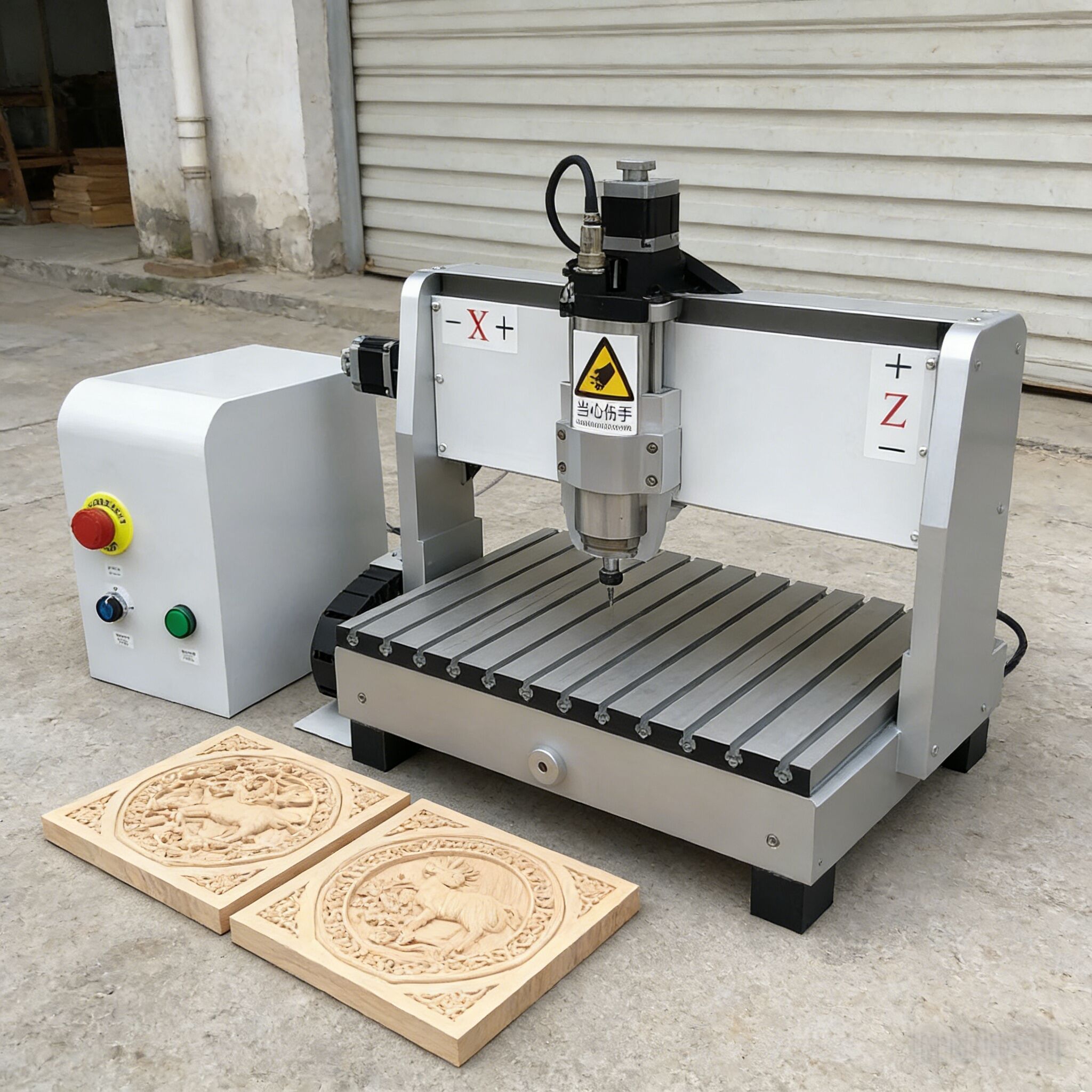
Selecting the right cnc router for your workshop requires careful evaluation of your specific cutting needs, workspace constraints, and production requirements. The decision goes beyond simply choosing the largest or most expensive machine, as the optimal cnc router must align with your material types, project complexity, and workflow efficiency goals. Understanding the key selection criteria will help you avoid costly mistakes and ensure your investment delivers long-term value for your workshop operations.
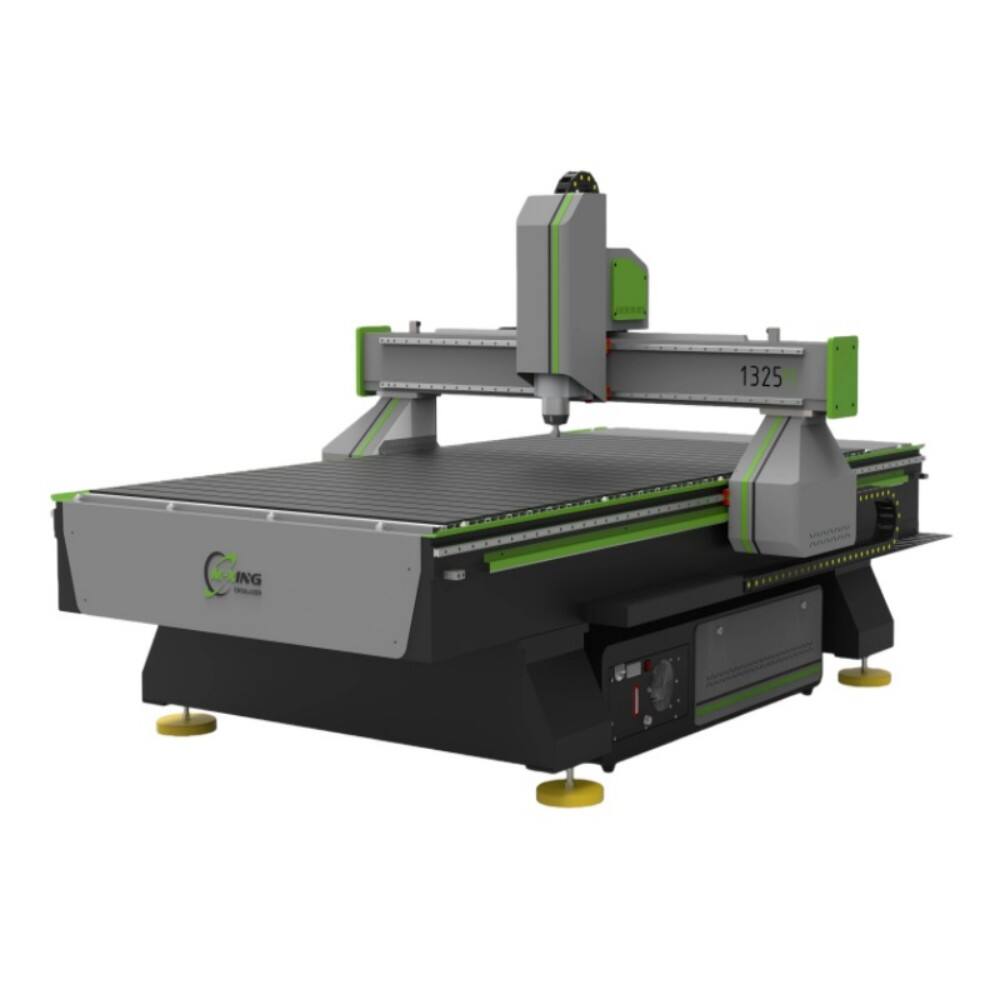
Workshop cnc router selection involves analyzing multiple technical and practical factors that directly impact your machining capabilities. From spindle power and cutting area dimensions to control system sophistication and material compatibility, each specification influences your ability to execute projects efficiently. This comprehensive evaluation process ensures your chosen cnc router integrates seamlessly into your existing workflow while providing the flexibility to handle future project demands and business growth.
Assessing Your Workshop Requirements and Constraints
Material Types and Thickness Specifications
Your cnc router selection must accommodate the specific materials you plan to process regularly in your workshop environment. Wood materials ranging from softwoods to hardwoods require different cutting approaches, with dense hardwoods demanding higher spindle power and more robust machine construction. The maximum material thickness you intend to cut determines the Z-axis travel requirements, as insufficient clearance limits your project scope and material utilization efficiency.
Material diversity in your workshop also influences the cnc router configuration needed for optimal performance. Plastics, composites, and soft metals each present unique cutting challenges that affect spindle selection, cutting speed parameters, and cooling requirements. Understanding your material portfolio helps identify whether you need specialized features like automatic tool changing, flood coolant systems, or enhanced dust collection capabilities for different material types.
Physical Space and Power Infrastructure
Workshop space constraints directly determine the maximum cnc router size you can accommodate while maintaining safe operation clearances. Measuring your available floor space, ceiling height, and access routes ensures the selected machine fits your physical environment without compromising workflow efficiency. Consider not only the machine footprint but also the space required for material loading, waste removal, and operator movement around the equipment.
Electrical infrastructure assessment reveals whether your workshop can support the cnc router power requirements without costly electrical upgrades. Single-phase versus three-phase power availability, voltage compatibility, and circuit capacity all influence which machines remain viable options for your installation. Additionally, compressed air availability, dust collection connection points, and network connectivity requirements should align with your workshop's existing infrastructure capabilities.
Production Volume and Project Complexity
Daily production volume expectations help determine whether you need a basic cnc router for occasional projects or a more robust industrial-grade machine for continuous operation. High-volume production scenarios require enhanced reliability features, longer duty cycles, and potentially automated loading systems to maintain consistent throughput. Understanding your typical batch sizes and cutting time requirements guides the selection of appropriate machine speed and efficiency features.
Project complexity analysis reveals the sophistication level needed in your cnc router control system and mechanical capabilities. Simple 2D cutting operations require less advanced features compared to complex 3D machining, multi-sided processing, or precision engraving applications. Evaluating your current and anticipated project types helps identify essential features versus optional enhancements that may justify additional investment for expanded capabilities.
Technical Specifications and Performance Criteria
Cutting Area and Machine Dimensions
The cnc router cutting area dimensions must accommodate your largest anticipated workpieces while considering material waste and fixturing requirements. Standard sizes range from compact desktop units suitable for small parts to industrial machines capable of processing full sheet materials. Balancing cutting capacity with workshop space constraints ensures you maximize material utilization without overwhelming your available workspace or creating operational inefficiencies.
Z-axis travel capability determines the maximum material thickness and depth of cut your cnc router can achieve. Insufficient Z-axis travel limits your ability to process thick materials or perform deep engraving operations, while excessive travel may add unnecessary cost and complexity. Consider both current material thickness requirements and potential future needs when evaluating Z-axis specifications for your workshop applications.
Spindle Power and Speed Range
Spindle power requirements vary significantly based on your intended cutting materials and desired production rates. Softwood cutting typically requires less power than hardwood processing, while metal cutting demands substantial spindle strength and torque capability. A properly sized spindle ensures efficient material removal without overloading the motor or compromising cut quality through inadequate power delivery during challenging operations.
Variable speed control allows your cnc router to optimize cutting parameters for different materials and tool types. Wide speed ranges provide flexibility to use various cutting tools effectively, from high-speed engraving bits requiring fast rotation to large diameter cutting tools needing slower speeds for optimal performance. Spindle speed controllability directly impacts your ability to achieve quality results across diverse material types and cutting applications.
Control System and Software Compatibility
The cnc router control system determines how easily you can program, operate, and monitor your machine during cutting operations. User-friendly interfaces reduce the learning curve for operators while advanced control features enable complex machining strategies and precise parameter adjustment. Compatibility with your existing CAD/CAM software workflow ensures seamless file preparation and job execution without requiring extensive software changes or additional training investment.
Control system reliability and support availability influence your long-term operational success with the selected cnc router. Established control platforms typically offer better documentation, training resources, and technical support compared to proprietary systems with limited user bases. Consider the availability of software updates, troubleshooting resources, and local service support when evaluating different control system options for your workshop environment.
Operational Features and Automation Options
Tool Changing and Setup Efficiency
Manual tool changing requirements affect your cnc router operational efficiency, particularly for jobs requiring multiple cutting tools or frequent tool changes. Automatic tool changers eliminate setup time between operations but add complexity and cost to the machine configuration. Evaluating your typical job requirements and tool change frequency helps determine whether automated tool changing justifies the additional investment for your workshop productivity goals.
Tool length measurement and offset capabilities ensure consistent cutting depths and surface quality across different tools. Automatic tool length detection reduces setup errors and improves job reliability, while manual measurement systems require more operator attention but offer cost savings. Consider your quality requirements and operator skill levels when selecting between automated and manual tool management approaches for your cnc router configuration.
Workholding and Fixturing Systems
Vacuum table systems provide secure workholding for sheet materials without mechanical clamps that could interfere with cutting operations. The effectiveness of vacuum holding depends on material porosity and surface condition, with some materials requiring spoilboard modifications or gasket systems for adequate holding force. Evaluate your primary material types and sizes to determine whether vacuum workholding offers sufficient flexibility and security for your application requirements.
Mechanical clamping systems offer versatile workholding for irregular shapes and materials unsuitable for vacuum holding. T-slot tables accommodate various clamp configurations and custom fixtures, providing flexibility for unique part geometries and batch processing requirements. Consider the balance between setup time and holding security when selecting workholding approaches that match your typical project characteristics and production workflow preferences.
Dust Collection and Environmental Control
Integrated dust collection systems maintain cleaner cutting conditions and reduce airborne particles that can affect both machine performance and operator health. Effective dust removal prevents chip buildup that can compromise cut quality and cause premature tool wear. The dust collection system capacity must match your cnc router cutting volume and material types to maintain optimal workshop air quality throughout extended operation periods.
Noise reduction features become important considerations for workshops in noise-sensitive environments or those requiring extended operating hours. Enclosed machine designs and sound-dampening materials reduce operational noise levels while maintaining accessibility for setup and maintenance tasks. Balancing noise control with operational convenience helps create a more comfortable working environment while preserving full machine functionality and performance capabilities.
Budget Considerations and Total Cost of Ownership
Initial Investment and Financing Options
Cnc router pricing varies dramatically based on size, features, and build quality, requiring careful budget analysis to identify machines that deliver appropriate value for your workshop needs. Entry-level machines offer basic functionality at lower initial cost, while industrial-grade units provide enhanced capability and durability at higher price points. Establishing clear budget parameters helps narrow your selection to realistic options while avoiding feature creep that exceeds your financial resources.
Financing alternatives can make higher-capability cnc router models accessible through lease arrangements or extended payment terms. Evaluating the total cost of financing versus immediate purchase helps determine the most economical approach for your cash flow situation. Consider how quickly the machine investment will generate returns through increased productivity or new project capabilities when assessing different financing structures and payment schedules.
Operating Costs and Maintenance Requirements
Ongoing operating expenses include cutting tool replacement, maintenance supplies, and utility consumption that accumulate throughout your cnc router operational life. Higher-quality machines typically demonstrate better reliability and lower maintenance costs, potentially offsetting their higher initial purchase price through reduced downtime and repair expenses. Evaluating the total cost of ownership provides a more accurate comparison between different machine options than initial price alone.
Preventive maintenance requirements vary between cnc router designs, with some machines requiring daily lubrication and adjustment while others operate for extended periods with minimal attention. Understanding maintenance schedules and requirements helps assess the true operational burden and cost associated with different machine choices. Factor in both material costs and labor time required for routine maintenance when calculating long-term ownership expenses.
Training and Support Investment
Operator training requirements influence both immediate productivity and long-term operational success with your selected cnc router. Complex machines with advanced features may require extensive training investment to achieve optimal utilization, while simpler machines allow faster operator proficiency development. Consider your existing operator skill levels and available training time when evaluating machines with different complexity levels and operational requirements.
Technical support availability and quality directly impact your ability to resolve operational issues and maintain consistent production capability. Local service support, remote diagnostics capability, and manufacturer responsiveness all contribute to minimizing downtime and maintaining operational efficiency. Evaluating support quality and availability helps identify machines that will provide reliable long-term performance with minimal disruption to your workshop operations and project schedules.
FAQ
What size cnc router do I need for my small workshop?
Small workshop cnc router selection depends on your largest anticipated workpiece dimensions and available floor space. Desktop units with 24x36 inch cutting areas suit small parts and detailed work, while mid-size machines with 48x96 inch capacity accommodate standard sheet materials. Consider both current project requirements and potential future needs, ensuring adequate workspace clearance around the machine for safe operation and material handling.
How much power does my cnc router spindle need for different materials?
Spindle power requirements range from 1-2 HP for softwoods and plastics to 3-5 HP for hardwoods and composite materials. Dense materials like oak or maple require higher power for efficient cutting, while softer materials can be processed effectively with lower-powered spindles. Consider your primary material types and desired cutting speeds when selecting spindle power, as underpowered spindles result in slow cutting and poor surface quality.
Should I choose a cnc router with automatic tool changing capability?
Automatic tool changing becomes valuable when your projects regularly require multiple cutting tools or when job setup time significantly impacts productivity. Simple projects using one or two tools may not justify the additional cost and complexity of automated tool changing. Evaluate your typical job requirements, tool change frequency, and available setup time to determine whether automation will provide sufficient productivity benefits for your workshop operations.
What control system features are most important for workshop cnc router operation?
Essential cnc router control features include reliable g-code processing, intuitive user interface, and compatibility with your preferred CAD/CAM software. Advanced features like tool path simulation, collision detection, and remote monitoring provide operational benefits but may not be necessary for basic workshop applications. Focus on control system reliability, ease of use, and adequate technical support rather than extensive feature lists that may complicate operation without adding practical value.